01 · SalesPro
MKU SalesPro
Bringing sales collateral closer to the people who need it.
A digital sales-collateral platform for MKU's channel partners and agents: discover, evaluate, configure, and act on approved product information without waiting on the sales team. One year, end to end, as the sole designer.
02 · Overview
What SalesPro is.
MKU SalesPro is a digital sales-collateral platform built to help MKU's channel partners and agents quickly discover, access, and share approved product documents, without depending on the sales team.
Previously, finding the right brochure, test report, or product document could take two to three days, because collateral was scattered across different locations. SalesPro centralized those resources into one platform and brought the turnaround down to one day.

 6 approved files
 ACH 114T BrochurePDFOneDrive /
Sales
 TAC-I-IIA+ Tech SpecDOCEmail
thread
 Kavro Sales DeckPPTShared
drive
NIJ 0101.06 Test ReportPDFProductteam
 Product PhotographyIMGMarketing
folder
 Fitting & Donning GuideMP4Someone's
desktop
03 · The problem
A simple request shouldn't take three days.
MKU's channel partners and agents frequently needed brochures, technical specifications, test reports, and other collateral to support conversations with their own customers. Getting the right file wasn't straightforward.
Documents were spread across different OneDrive folders and sources. When a partner needed something, they had to reach out to their MKU sales representative, who then searched multiple locations, verified the latest version, and sent it back.
Channel Partners
- Depended on a sales rep for basic information
- Waited on documents before moving forward with customers
- Had no single place to discover MKU's products and collateral
Sales team
- Repeatedly searched for and re-shared the same documents
- Became a bottleneck for requests that could be self-served
- Had to verify the right and latest collateral every time
The problem wasn't simply that documents were scattered. Sales representatives were acting as the bridge between MKU's information and the people who needed it. We needed to move that information closer to the user — inside a reliable, centralized sales ecosystem that could eventually support more than document sharing.
04 · Users & access
One platform. Different users. Different levels of access.
SalesPro wasn't designed for a single type of user. MKU worked with two external sales audiences, Channel Partners and Agents, each with a different relationship with MKU, and therefore different access to products and collateral. Behind them sat the MKU Admin, controlling what each user could reach and keeping region-specific information inside the right sales network.

Documents
PRO-FIIA BrochurePDF · 2.4 MBNIJ 0101.06 Test ReportDOC · restrictedMore options
Ask your MKU admin for access.
05 · Understanding
Understanding the problem.
How can we give different members of MKU's sales network the right information and tools, while giving MKU control over what each user can access?
06 · Structure
Bigger than putting everything in one place.
SalesPro had to bring together a large amount of product and sales information while keeping the experience simple for users with very different access levels. I structured the product around the way users would interact with MKU's sales ecosystem, rather than treating documents as the primary destination.
Every discovery path converges on the product; the product page is the hub for documents, configuration and sales actions; the Library sits on top as a personal layer. Pick a stage to trace it.
07 · Key decisions
Key UX decisions.
Five decisions shaped everything else. Swipe through them — every screen here is built in HTML from the Figma file.
08 · User journey
A clear mental model for a complex ecosystem.
With multiple product categories, documents, permissions, and sales actions, the challenge was an architecture that felt predictable while supporting different user intents. I organised the experience around four core stages.
Global search for known-item retrieval, guided search for users who knew their requirement but not the product, category browsing for exploration, and filters to progressively narrow the result set.
The Product Detail Page became the primary information hub — product information, specifications, documents, configuration options and related resources in the same contextual experience.
Configure a product, share content, send an enquiry, request a sample, and save the product or its documents — depending on permissions.
The Library provided a personalized retrieval layer on top of the centralized catalogue — bookmark products and documents, and create folders.
09 · Discovery
Designing for different levels of product knowledge.
Not every user entered SalesPro with the same intent. Some knew exactly what they were looking for; others knew their requirement but didn't know which MKU product could fulfil it.
Search that's fast and precise.
“I know what I need. Help me find it.”
For users who already knew the product, model, or keyword, search provided a low-interaction path to retrieval, optimised for speed and precision.
We couldn't find that one. Try searching with a different keyword or press the button below, and help will be right away.
Get HelpGuided search that narrows as you go.
“I know what I need to achieve. Help me find the right product.”
Instead of a perfect query, the experience progressively narrowed the product space through relevant choices.
Solutions for
Pick who it's for to narrow these down.
Browse by Categories
Browse by Categories
10 · Product detail
From product discovery to decision-making.
Finding a product was only the first step. Once users reached a product, they needed enough context to understand whether it was relevant to their requirement — and then take the appropriate next step. The Product Detail Page became the central decision-making surface within SalesPro.
Designing around the user's decision hierarchy
The phone is live — try the tabs, sizes and the heart
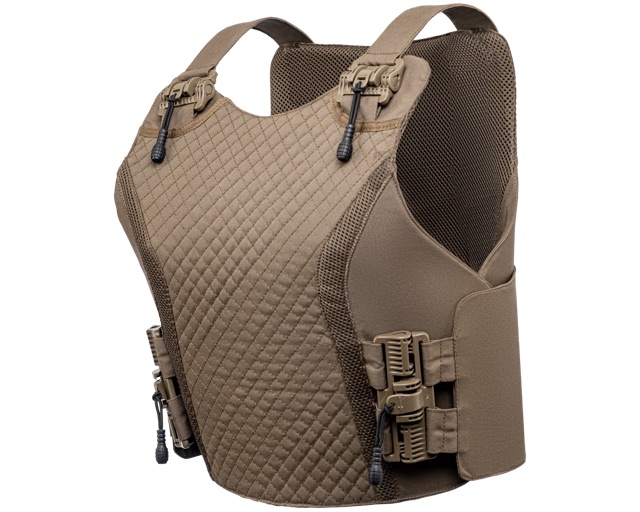
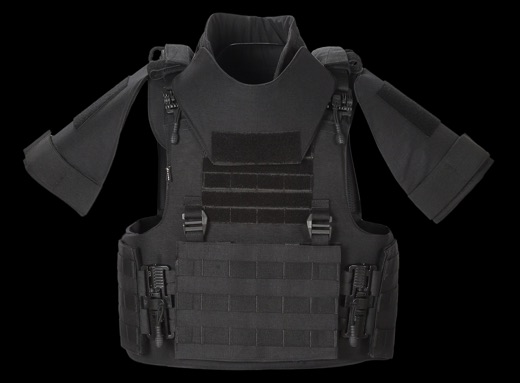
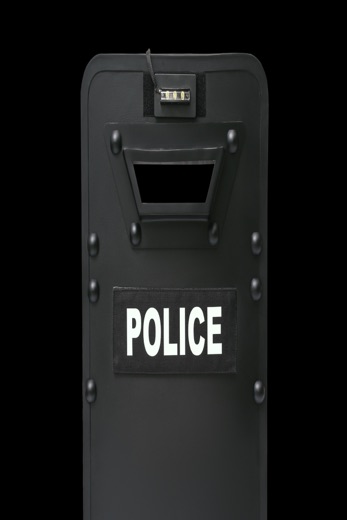
A tactical over vest features an integrated system to carry a 30L back-pack that can be quickly attached and detached to and from the body armour or can be carried with shoulder straps. This immensely versatile, lightweight, ergonomic over vest features the revolutionary Insta Load Distribution System which reduces the perceived carried weight of a soldier by over 30%. Designed for survivability and protection, the over vest incorporates quick release system for emergency situations.
Protection (NIJ0101.06)
- Level
- IIA
- Area
- Front & Back
- Certified
- Yes
- Test Report
- Yes
Protection (VPAM)
- Level
- IIA
- Area
- Front & Back
- Certified
- Yes
- Test Report
- Yes
Ammunition
- Bullet
- 7.62x51 mm
- Calibre
- AK-47 MSC
- Velocity
- –
Technical SpecificationDOC · TAC-I-IIA+Test Report  PDF · NIJ 0101.06Product PhotographyIMG · 12 filesFitting & Donning MP4 · 3 minSales PresentationPPT · 18 slides
11 · Library
A large catalogue, turned into a personal workspace.
SalesPro gave users access to a large collection of products and sales collateral, but users wouldn't need everything all the time. The challenge was to let them retain and organise what mattered, without duplicating the centralized content.
From bookmarking to organisation
12 · Configuration
From a standard product to a specific solution.
For some products, finding the right base product wasn't the end of the journey. Users needed to configure the product to specific requirements before initiating a sales conversation. Instead of presenting every option at once, I structured the flow into sequential decision points.
Reducing cognitive load by progressive disclosure
Current Selection
13 · Enquiries
From browsing to business intent.
After helping users discover and configure products, the next challenge was turning that intent into a meaningful sales action. Not a generic “Contact Us” form. The interaction needed to preserve the context of what the user had discovered and give MKU enough information to act on the request.
14 · Supporting
The features around the core.
Onboarding, help, filters and request tracking — small surfaces that kept the core experience self-serve.
15 · Outcome
From a 3-day dependency to a 1-day turnaround.
Document-request turnaround, after centralizing product information and sales collateral into a single, searchable platform.
Previously, relevant collateral was distributed across sources and often required intervention from the sales team. SalesPro brought product information and associated sales resources into one place.
This transformed SalesPro from a collateral repository into a broader sales enablement platform.
That shift reduced friction in the sales process while giving MKU greater control over how its product information was distributed.
16 · Closing
From scattered collateral to a connected sales experience.
Over one year, SalesPro evolved from a business requirement around document access into a complete digital sales toolkit. As the sole designer, I owned the end-to-end product design process and stayed involved through development, QA, and publishing.
The biggest shift was not simply making information easier to find. It was reducing dependency: putting the right information and actions directly in the hands of MKU's sales network.
End-to-end product design ownership across
View more projects
Nucleus · MKU Website Revamp
Browse projectsExplore the blog
60 Minutes to Ship: How a Sleeping TV Sparked a Better Event Experience
Read posts


 TAC-I-IIA+